Core Nodes Explained
Understand the functions, upgrades, and combinations of essential nodes.
Core Nodes in Upload Labs
Overview: The core gameplay of Upload Labs revolves around connecting and optimizing a variety of nodes in your network. Knowing what the core nodes do is essential to building efficient, high-profit data pipelines. Connections in the game generally flow left to right.
Basic Network Nodes
These nodes handle file downloads, uploads, and the initial flow of files through your system.
| Node | Description / Source | Function |
|---|---|---|
| Downloader | Text Downloader, Image Downloader, Sound Downloader. | Fetches files of a specific type from the network. Must be connected to a Download Speed output. |
| Uploader | Network output node. | Accepts files and sends them to the network for sale/upload — one of the primary ways to earn cash. |
| Processor Cell | Core processing node. | Connects to Clock Speed when placed and provides compute for processing nodes. Upgradable. |
| Request Uploader | Buy Uploader’s Pass for 50,000 Credits at base price. | Uploads requested files for Tokens. Requests guide |
Core Tools and Management Nodes
These utility nodes are used to manage file flow, organize your system, and collect income.
| Node | Token/Cash Cost | Function |
|---|---|---|
| Collector | Basic tool. | Collects the money-triangle output from an Uploader or other cash-producing nodes. The player must click to collect manually. |
| Auto Collector | 40 Tokens | Automatically collects inserted resources without manual clicks. This is an early priority upgrade. |
| Folders | Basic tool. | Allows you to merge identical items from different sources (for example, clean files from a Virus Scanner and a Quarantine node) into one unified output point. Great for simplifying connections and keeping the layout tidy. |
| Allocator | Basic tool. | Splits an input stream into multiple outputs with configurable ratios — useful for steering more files toward money-making paths or to requests. |
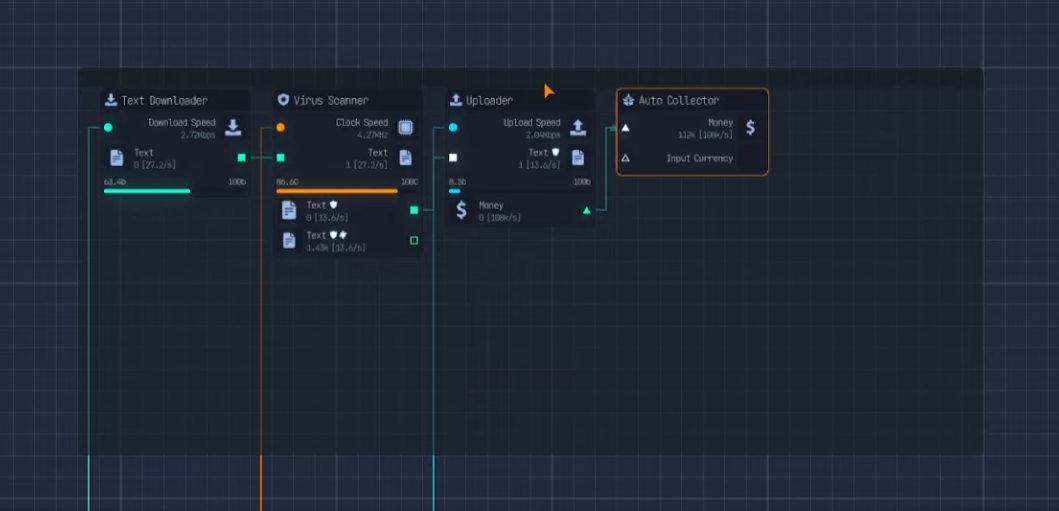
| Node Groups | 50 Tokens | Lets you bundle a complete workflow (downloader, scanner, uploader, auto-collector) into a single movable container, dramatically improving organization and mobility. |
File Processing and Optimization Nodes
These nodes increase file value or clean files for higher payouts.
| Node | Function Description | Tips / Requirements |
|---|---|---|
| Virus Scanner | Scans files using Clock Speed and provides clean and Infected outputs. | Route the Infected output to Quarantine. In 3.0, uploading it temporarily halves income. |
| Quarantine Node | Unlockable after Anti-virus Plus. | Removes the Infected modifier from files, turning them into clean (Scanned) files ready for upload or further processing. |
| Checksum Verifier | Checksum Validation, 250 Research. | Uses Clock Speed. Verified files gain +1 quality. File Processing |
Currency and Research Nodes
These nodes relate to late-game income sources and tech progression.
| Node | Function Description | Tips / Requirements |
|---|---|---|
| GPU | Unlocked after Image Downloader. | Place a GPU Cluster and connect it to a Mine to start cryptocurrency mining. |
| Crypto Seller | Works with GPU + Mine nodes. | Sells mined cryptocurrency (e.g., Litecoins) for cash. |
| Data Lab | Research upgrade (base price 20 million Credits in 3.0). | Accepts files such as Text and converts them into Research Points. |
| Network Exchanger | Unlocked in Research (300 Research). | Converts incoming Download Speed into Upload Speed (or vice versa). |
Node Connection Examples (Images to be inserted manually)
To help you visualize how core nodes connect and are used, we've included image placeholder locations for several key setups.
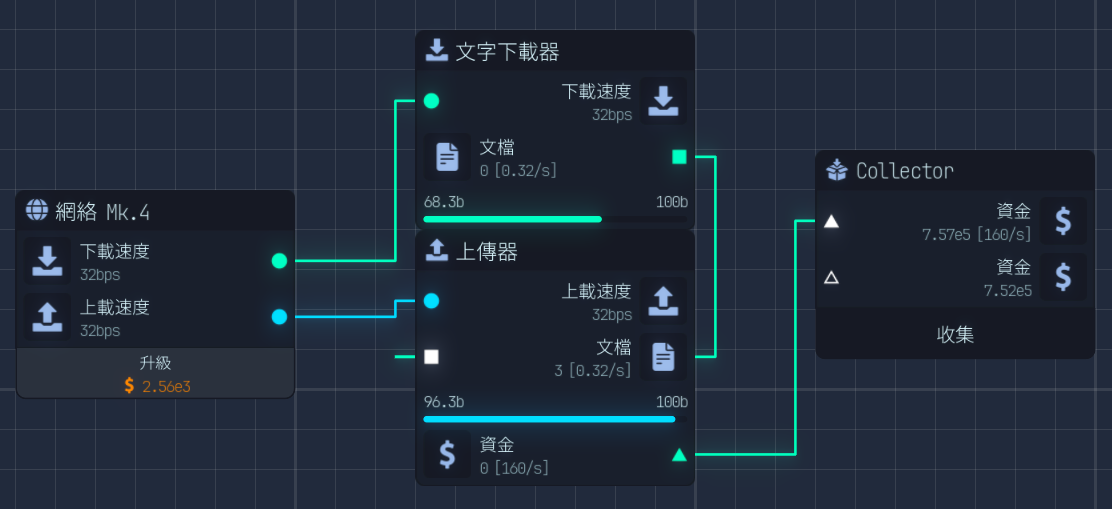
1. Basic Network Setup
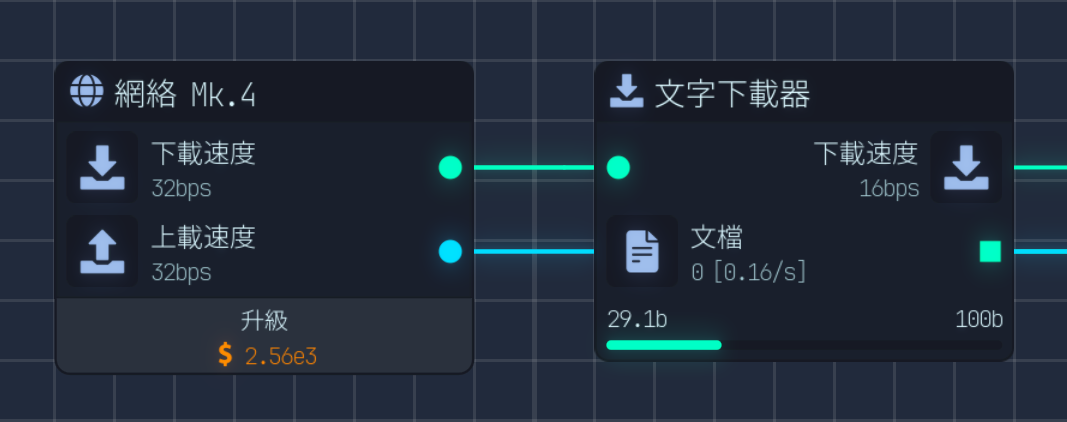
Initial download connection
Drag a connection from the Download Speed output to a Text Downloader.
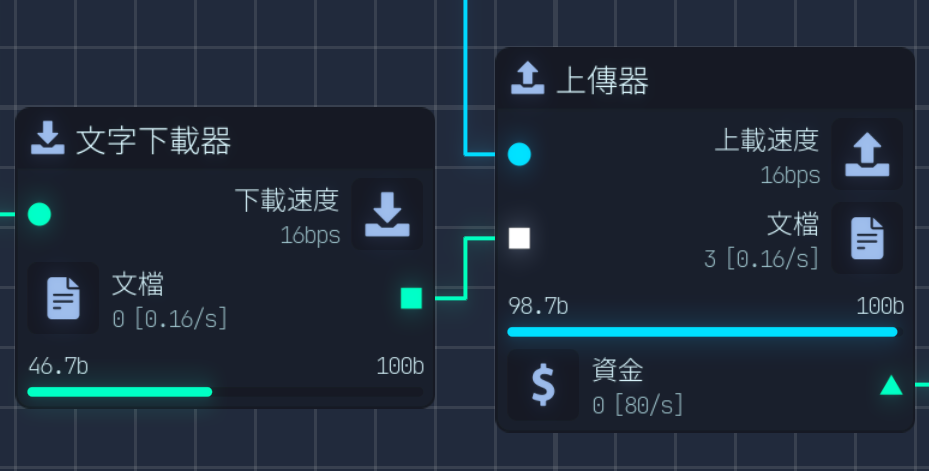
Upload connection
Connect the Text Downloader's file output to a newly added Uploader.
Income connection
Connect the Uploader's money-triangle output to a Collector.
2. Processor & Virus Scanner
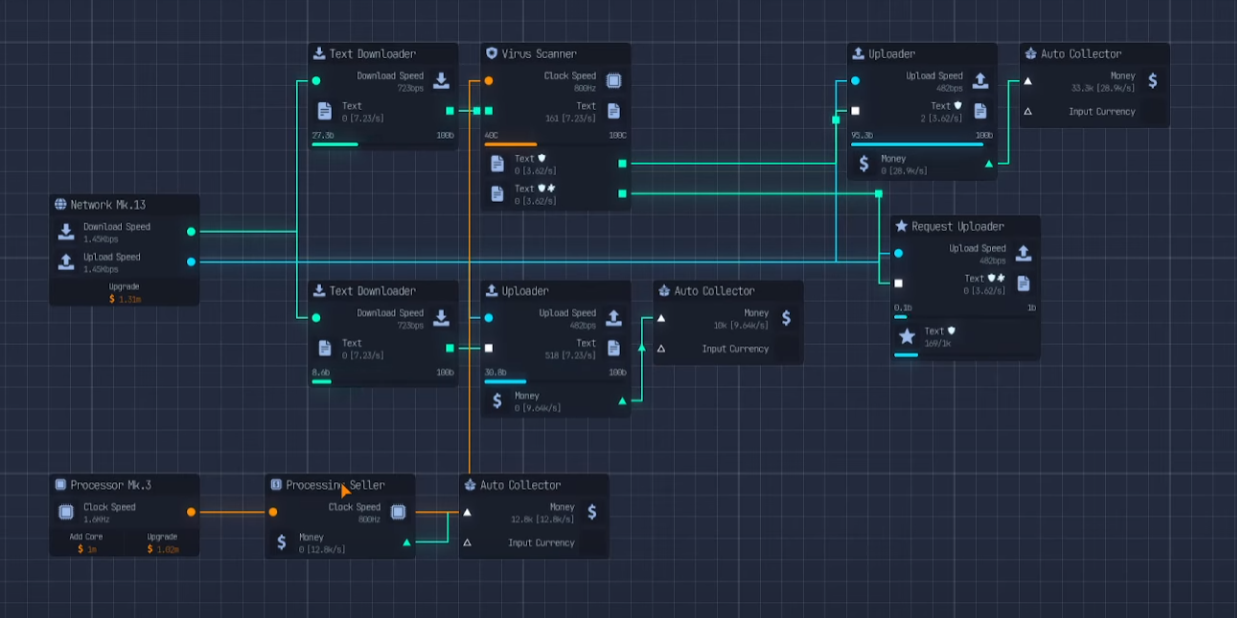
Connect processing power
Place a Processor Cell, connect it to Clock Speed, then link the Clock Speed to a Virus Scanner.
3. Organization & Optimization: Folders & Node Groups
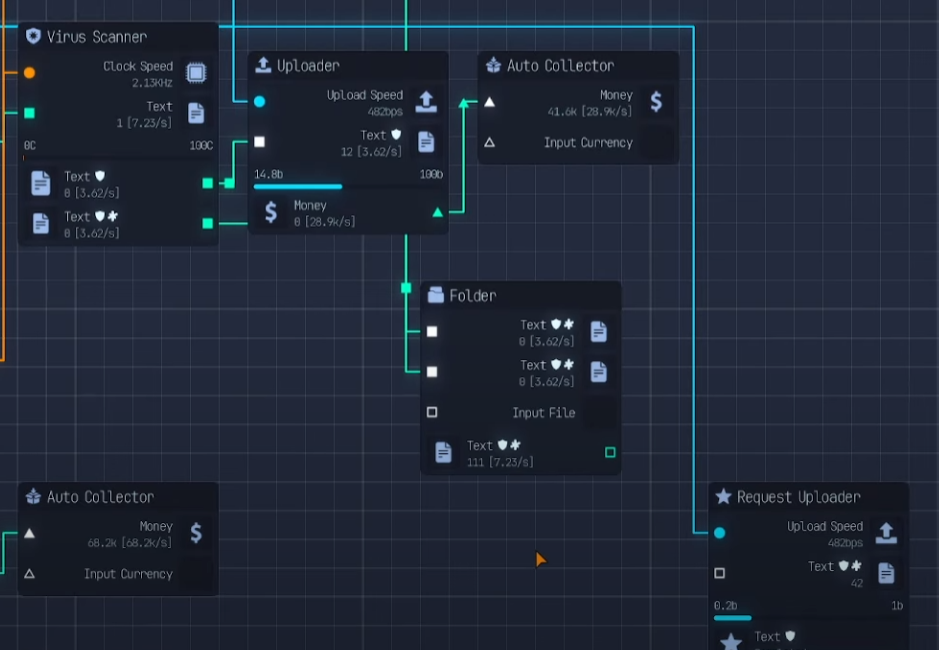
Using Folders
Add a Folder node and feed outputs from different processing paths (e.g., Clean Scanned Text and Quarantined Text) into it so they merge into a single unified output.
Using Node Groups
Use the Node Group tool to encapsulate a complete text-processing workflow (downloader, scanner, uploader, auto-collector) into a single movable container.